Bambu Studio Settings for NinjaFlex TPU 85A on the Bambu Lab P1S
 admin
admin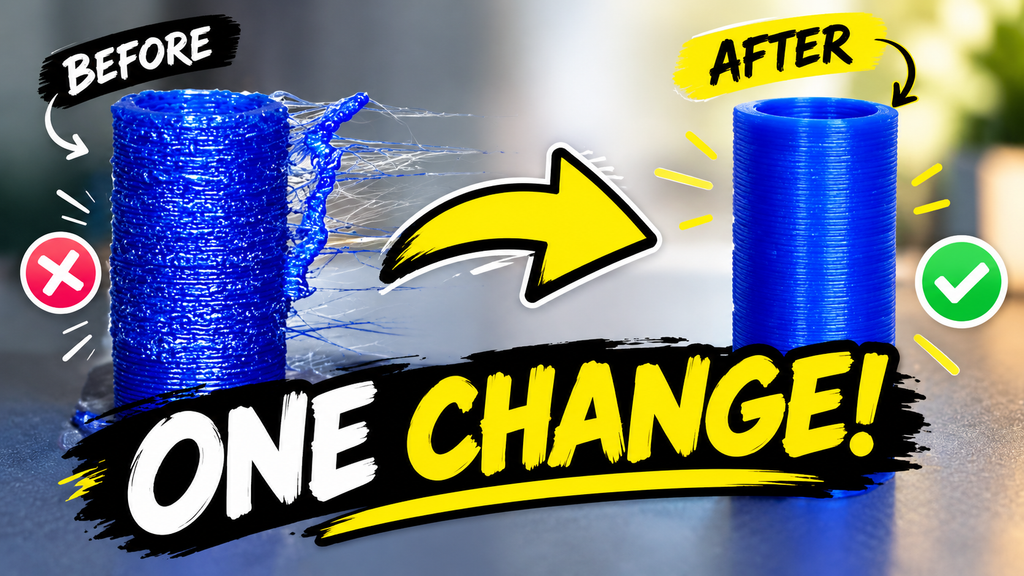
Flexible filaments are very useful when designing parts that need to bend, compress, stretch, or absorb movement. One such material is NinjaFlex TPU 85A, which is a highly flexible thermoplastic polyurethane. It can be used for robotic components, flexible joints, protective covers, seals, wheels, vibration-damping parts, and bellows. However, printing TPU 85A is quite different from printing common rigid materials such as PLA. Because the filament is soft and flexible, incorrect printing settings can easily result in under-extrusion, stringing, weak walls, or inconsistent surfaces.
When using NinjaFlex TPU 85A with a Bambu Lab P1S and a 0.4 mm nozzle, it is better to begin with conservative settings and gradually optimize them. The objective is not simply to print as quickly as possible, but to achieve consistent filament feeding and good-quality layers.
Nozzle and Bed Temperature
Temperature is one of the first settings that should be adjusted. A good starting point for NinjaFlex TPU 85A is around 225°C for the nozzle. Depending on the printer, environment, and filament condition, temperatures between approximately 220°C and 235°C can be tested.
If the temperature is too low, the filament may not flow smoothly through the nozzle. This can cause under-extrusion, gaps, and rough surfaces. On the other hand, excessive temperature can increase stringing and oozing.
For the print bed, a temperature of approximately 55°C is a reasonable starting point. Good bed adhesion is important because flexible parts can sometimes move or deform during printing.
Print Speed
Print speed is particularly important when working with TPU 85A. Since the material is flexible, feeding it through the extruder at high speed can be difficult. The filament may bend or compress inside the feeding mechanism, resulting in inconsistent extrusion.
For this reason, a starting print speed of around 20–30 mm/s is recommended. The outer wall can be printed at approximately 20 mm/s, while inner walls and infill can be around 25–30 mm/s.
Although these speeds are much slower than typical PLA printing, they provide better control over flexible filament. Once a reliable profile has been established, the speed can be increased gradually.
Wall Loops
Wall loops determine how many outer walls are created around the printed part. For NinjaFlex TPU 85A, three wall loops are a good general starting point.
Using only one wall can produce a very flexible but weak structure. Two walls provide a reasonable balance, while three walls generally provide better strength and dimensional stability.
However, the ideal number depends on the application. For a flexible robotic bellows, for example, two or three walls may be preferable because excessive wall thickness can make the component unnecessarily stiff. Therefore, testing two and three wall loops can help determine the best mechanical behavior.
Infill and Top Layers
For flexible parts, infill also affects the final stiffness and strength. A starting value of 20% infill is suitable for NinjaFlex. A gyroid pattern can be considered when a balanced and flexible internal structure is required.
Top layers are also important because too few solid layers can create holes or weak surfaces. Around 4–5 top layers and 3–4 bottom layers can be used as a starting point.
If gaps appear on the top surface, increasing the number of solid layers can often improve the result.
Retraction and Stringing
Stringing is a common problem with flexible filaments. TPU can continue to ooze from the nozzle while the print head moves between different parts.
Instead of using a large retraction distance, it is often better to start with retraction disabled or very low and then gradually introduce it if necessary. Excessive retraction can cause inconsistent filament feeding and may contribute to under-extrusion.
Travel speed can also be increased carefully to reduce the time the nozzle spends moving while material is able to ooze.
Cooling and Surface Quality
Cooling should also be controlled. A moderate fan setting, such as around 30–50% after the first few layers, can be used as a starting point. Excessive cooling is not always beneficial because the material needs sufficient heat to bond properly between layers.
If the finished TPU part has an unusually rough or matte surface, several factors should be checked. A partially clogged nozzle, excessive retraction, incorrect temperature, or inconsistent filament feeding can all contribute to poor surface quality.
Conclusion
Printing NinjaFlex TPU 85A successfully is mainly about controlling the interaction between temperature, speed, extrusion, and filament feeding. For a Bambu Lab P1S with a 0.4 mm nozzle, starting with approximately 225°C nozzle temperature, 55°C bed temperature, 20–30 mm/s printing speed, three wall loops, 20% infill, and low or disabled retraction provides a practical baseline.
These settings should not be considered permanent values. Every printer and application can behave slightly differently, so calibration is an important part of the process. It is better to change one parameter at a time and observe the result rather than changing many settings simultaneously.
For robotic applications such as flexible bellows, the final settings should also be selected according to the required mechanical properties. A component that needs to compress easily may require fewer walls and lower infill, while a component that needs greater durability may benefit from additional walls or infill. The best TPU profile is therefore not simply the one that produces a good-looking print, but the one that produces the required flexibility, strength, durability, and dimensional accuracy for the actual application.